D A T A E X P E R T

Loading

Google Ads Remarketing Tag: How to Use Google Tag Manager for Google Ads Remarketing?Maximize Conversions Through Dynamic Remarketing 

📦 Project Goal : –

Implement a full-funnel Google Ads Remarketing system via Google Tag Manager (GTM) to

  • Deliver product-specific ads to previous site visitors
  • Recapture abandoned traffic
  • Drive higher return on ad spend (ROAS)
  • Personalize ad experiences
  • Feed audience signals for smart bidding
  • Ensure GDPR/CCPA compliance

Project Details


📘  Project Description : –

The client—an online fashion retailer—was running Google Ads but lacked product-specific retargeting. Generic display ads led to poor CTR and high CPA.

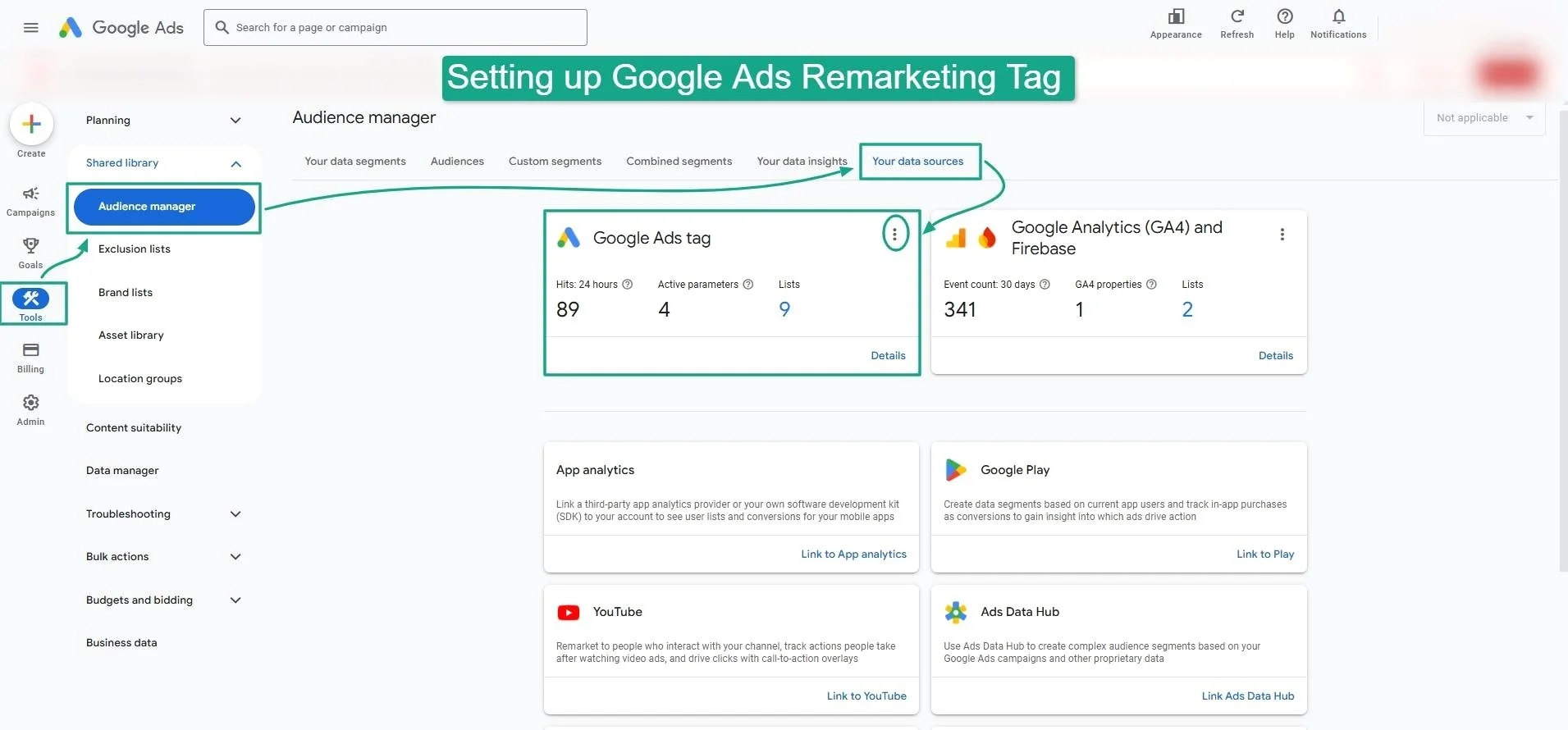
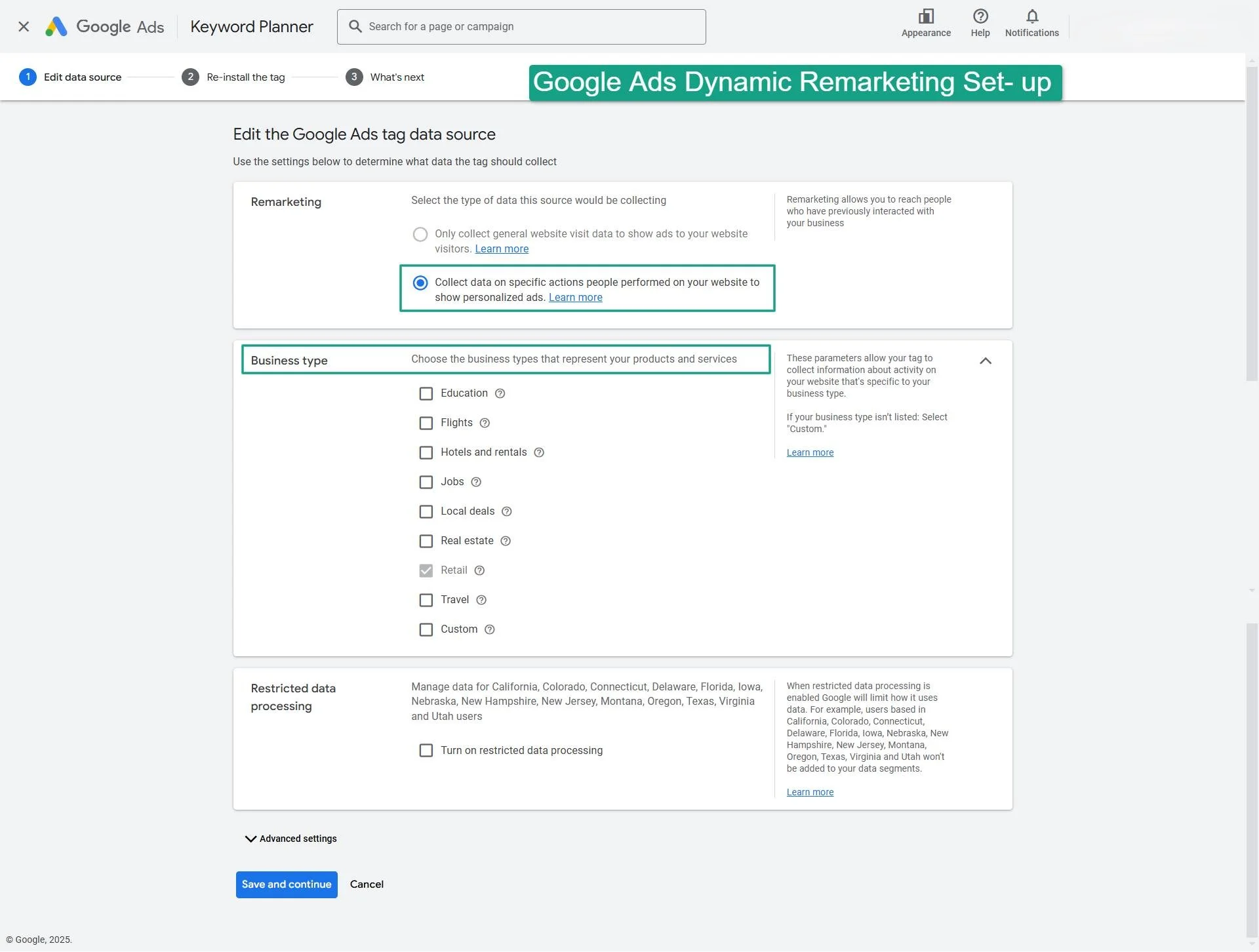
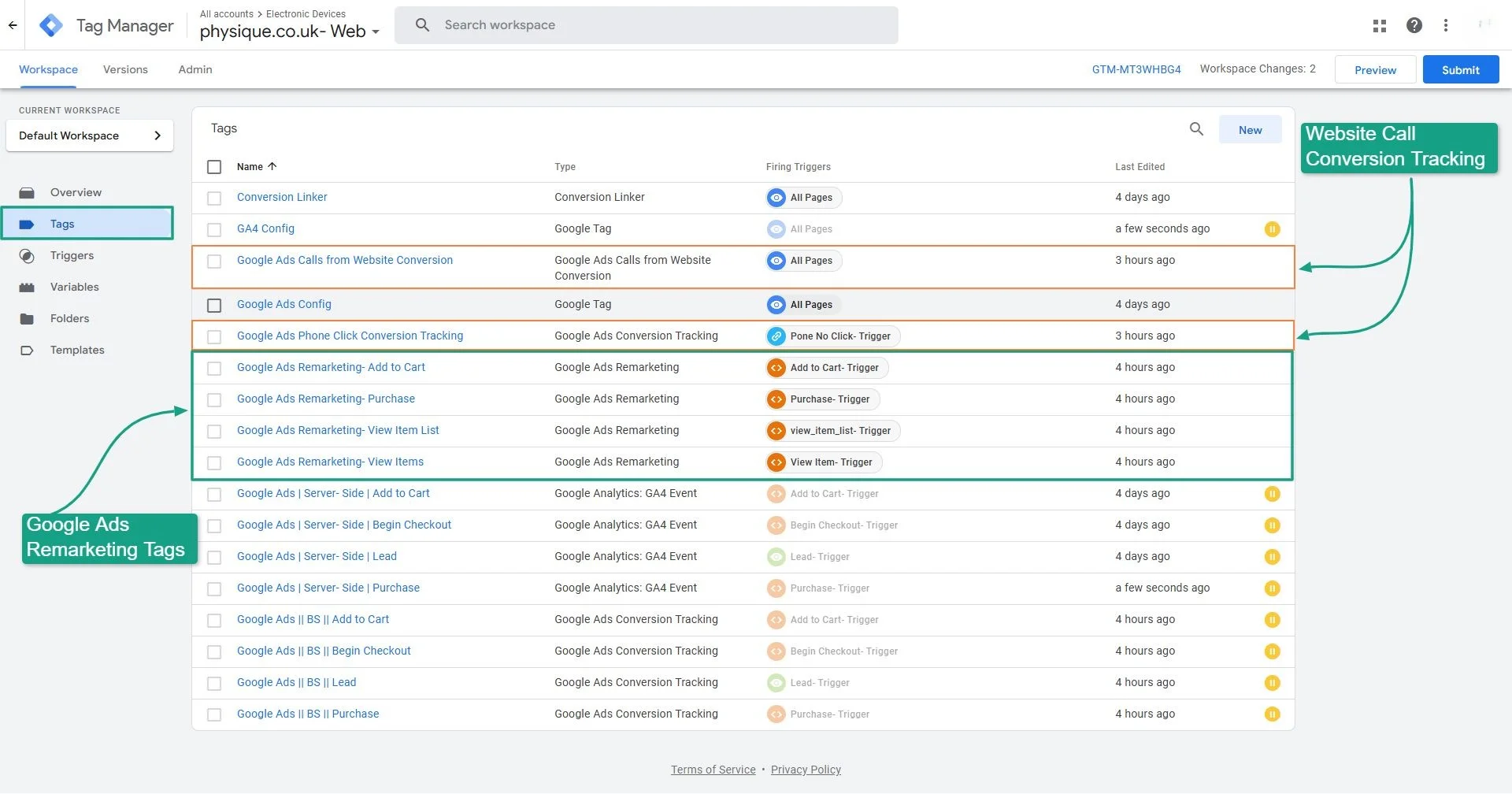
We implemented a complete dynamic remarketing setup via Google Tag Manager, integrated with Google Merchant Center. Product-level data is now dynamically passed via custom dataLayer variables. GTM handles all event tags, while the Google Ads Remarketing Tag and Dynamic Event Snippets track key interactions.

📊 Key Events Tracked for Remarketing ----

        Issue     Description
❌  Generic RetargetingOne-size-fits-all ads led to low engagement and poor CTR
❌  Missing Funnel EventsIncomplete tracking limited segmentation depth
❌  No Dynamic Product AdsLack of product-level retargeting hurt ROAS
❌  Privacy RisksNo Consent Mode for GDPR/CCPA compliance
❌  Low Return Visitor ConversionWeak signals led to inefficient budget allocation
Event NameTrackedParameters Captured
view_itemproduct_id, name, category, price
add_to_cartproduct_id, quantity, value
purchasetransaction_id, total_revenue, currency
phone_callcall_source, call_duration, user_location

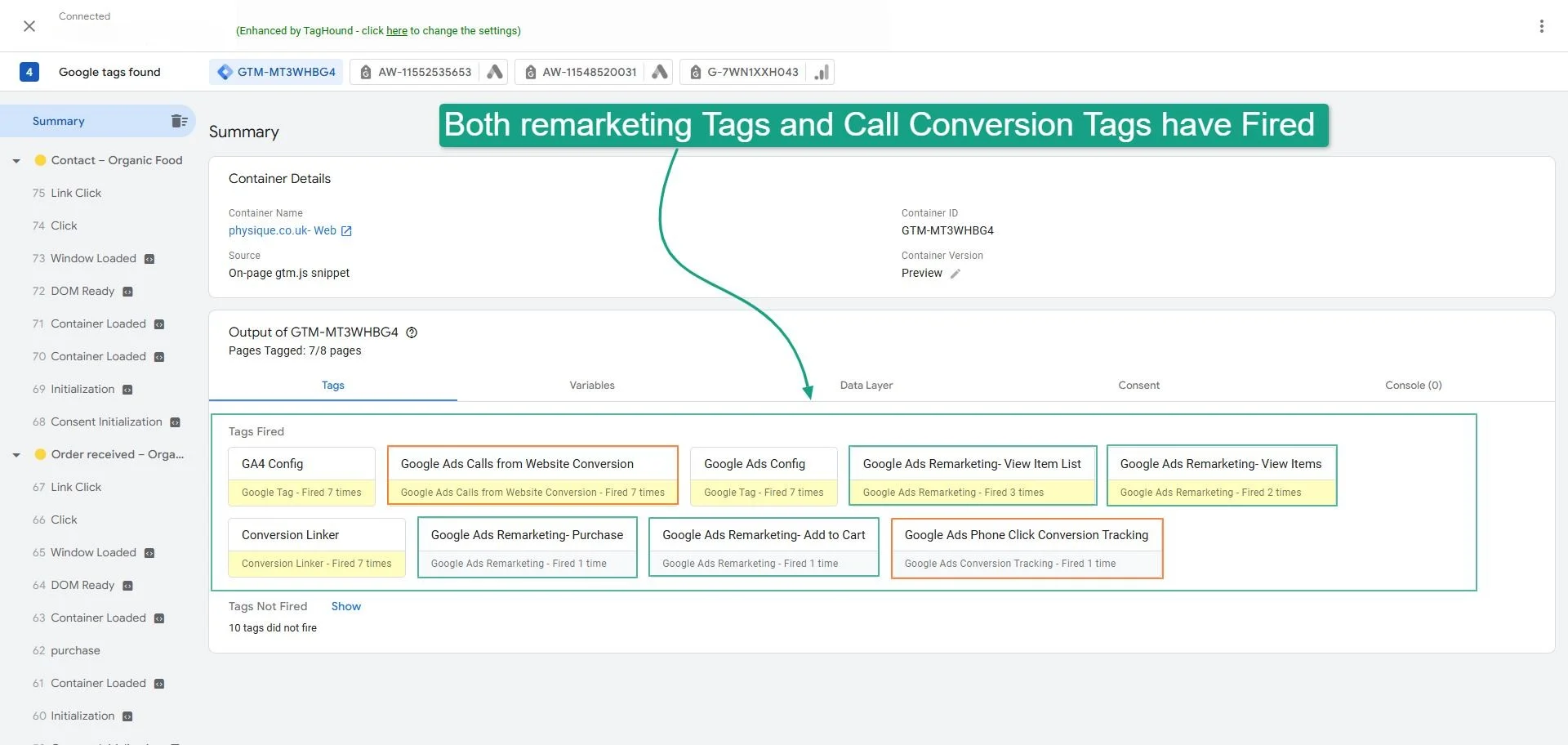
After giving a preview from the GTM Browser Server-side, we see that all tags have fired successfully. 

Services & Deliverables :

     Component   Status
Google Ads Remarketing Tag via GTM✅  Installed
Dynamic Event Snippets (ecomm_* params)✅  Configured
Custom dataLayer for eCommerce✅  Mapped
Page View & Product View Tracking✅  Set Up
Cart and Purchase Event Tagging✅  Enabled
Conversion Linker Tag✅  Deployed
Merchant Center Feed Sync✅  Verified
Tag Assistant & Google Debugging✅  Passed
Consent Mode Integration (GDPR/CCPA)✅  Supported
GTM Container Export & Documentation✅  Delivered

📊 Before vs After Results


   Before Setup After Dynamic Remarketing Setup
❌  Generic display ads, low engagement✅  Personalized ads based on user behavior
❌  No product-level tracking✅  Dynamic product IDs and values tracked
❌  Missed retargeting opportunities✅  Retargeting on cart and product viewers
❌  Poor ad performance on Display Network✅  Boosted CTR, conversion rate, and ROAS
❌  Manual audience setup✅  Auto-generated remarketing lists via GTM

💡 Why This Setup Matters

In today’s privacy-first web, personalized retargeting through Google Ads needs more than just basic tag drops. This advanced dynamic remarketing  setup helps to:

🔁  Product-level personalization for dynamic ads

📈  Smarter bidding via behavior-based audience lists

🔒 Consent Mode support for privacy compliance

🚀 Higher CTR and ROAS with tailored ad content

⚙️ Full control and flexibility through GTM

🧠 Accurate data feeds for Smart Shopping & Performance Max

💬 Real-time remarketing signals for timely retargeting

🔄 Scalable setup for multi-category eCommerce stores

🔍 Better visibility into user journeys and ad impact

🛠 Future-proof implementation aligned with Google’s best practices

🧰 Testing & Validation Tools Used

  • Google Tag Manager
  • Google Ads (Dynamic Remarketing Setup)
  • Google Merchant Center
  • Google Tag Assistant / Debugger
  • Custom JavaScript for dataLayer injection

Thanks for reviewing this portfolio !!!

Ready to Unlock the Power of Dynamic Remarketing ?

Reach out today to set up your Google Ads Dynamic Remarketing Tag.